IP Access Control
UniFi dashboard
203.0.113.0/24
Device inform
0.0.0.0/0
Guest portal
No public ranges
IP access control is included on every paid plan.
IP access control is included with every paid plan: Core, Scale and Enterprise. It is unavailable on Free.
Add your allowlist
Your allowlist is deny-by-default. Once you save at least one rule, all other traffic is blocked. Add every Dashboard, Device inform, and Guest portal range you need before saving.
- Open Servers, choose your controller, and select IP access control.
- Add the IP you are currently using—or your office CIDR range—to Dashboard first, so you keep access after saving. The required ports are added automatically.
- Add the ranges used by your UniFi devices to Device inform so adoption and reporting continue working.
- Leave Guest portal without rules to keep that public endpoint closed, unless you actively use a hotspot portal.
- Select Save rules. Rollout can take about a minute.
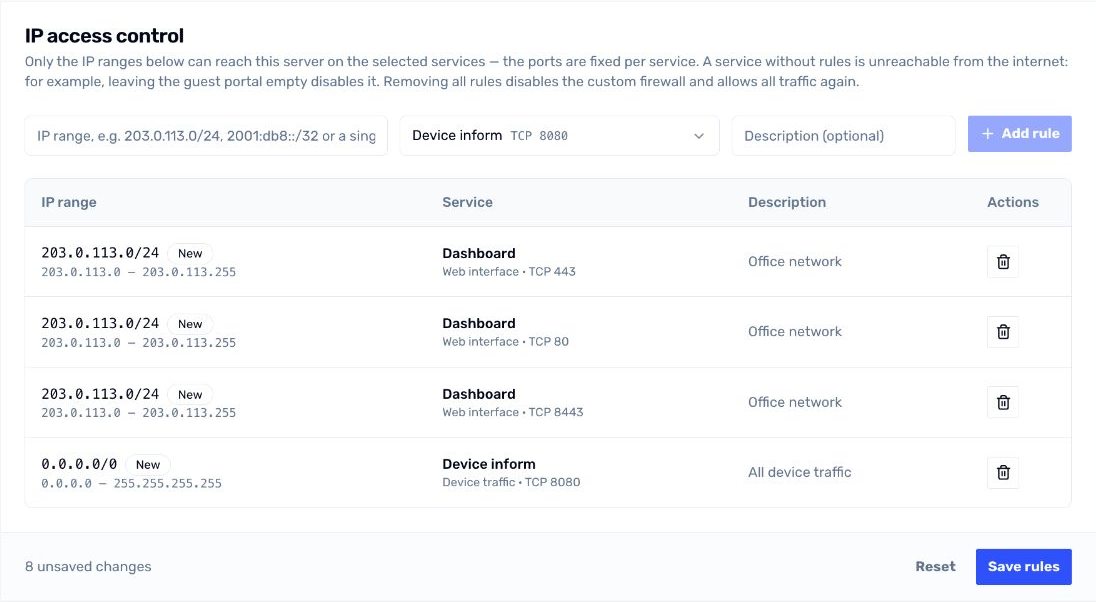
Dashboard and device inform allowlist rules
Choose what stays public
- Dashboard controls the web interface and admin API.
- Device inform controls device adoption and reporting on TCP 8080.
- Guest portal controls hotspot portal endpoints. Only add a range when guests need to reach them.
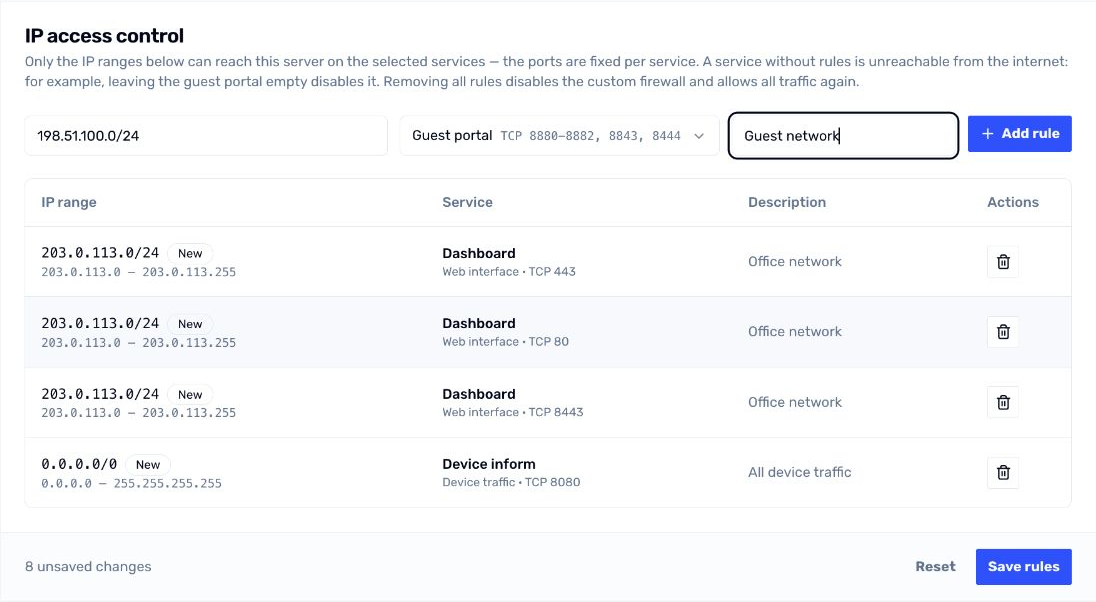
Adding an allowed IP range for the Guest portal