UniFi U7 Pro XG: Enterprise WiFi 7 with 10G Ethernet

UniFi U7 Pro XG Access Point UniFi U7 Pro XG Access Point

TL;DR: The UniFi U7 Pro XG is a WiFi 7 access point with native 10G Ethernet, delivering up to 12.5 Gbps aggregate throughput and supporting 500+ clients. It requires PoE++ (802.3bt, 60W) and 10G network infrastructure. Best suited for high-density enterprise environments where bandwidth and low latency are critical.

Overview

The UniFi U7 Pro XG is a WiFi 7 access point designed for high-density environments that require maximum throughput and minimal latency. With native 10 Gigabit Ethernet support, this access point reduces the performance gap between wireless and wired connections.

Color Options

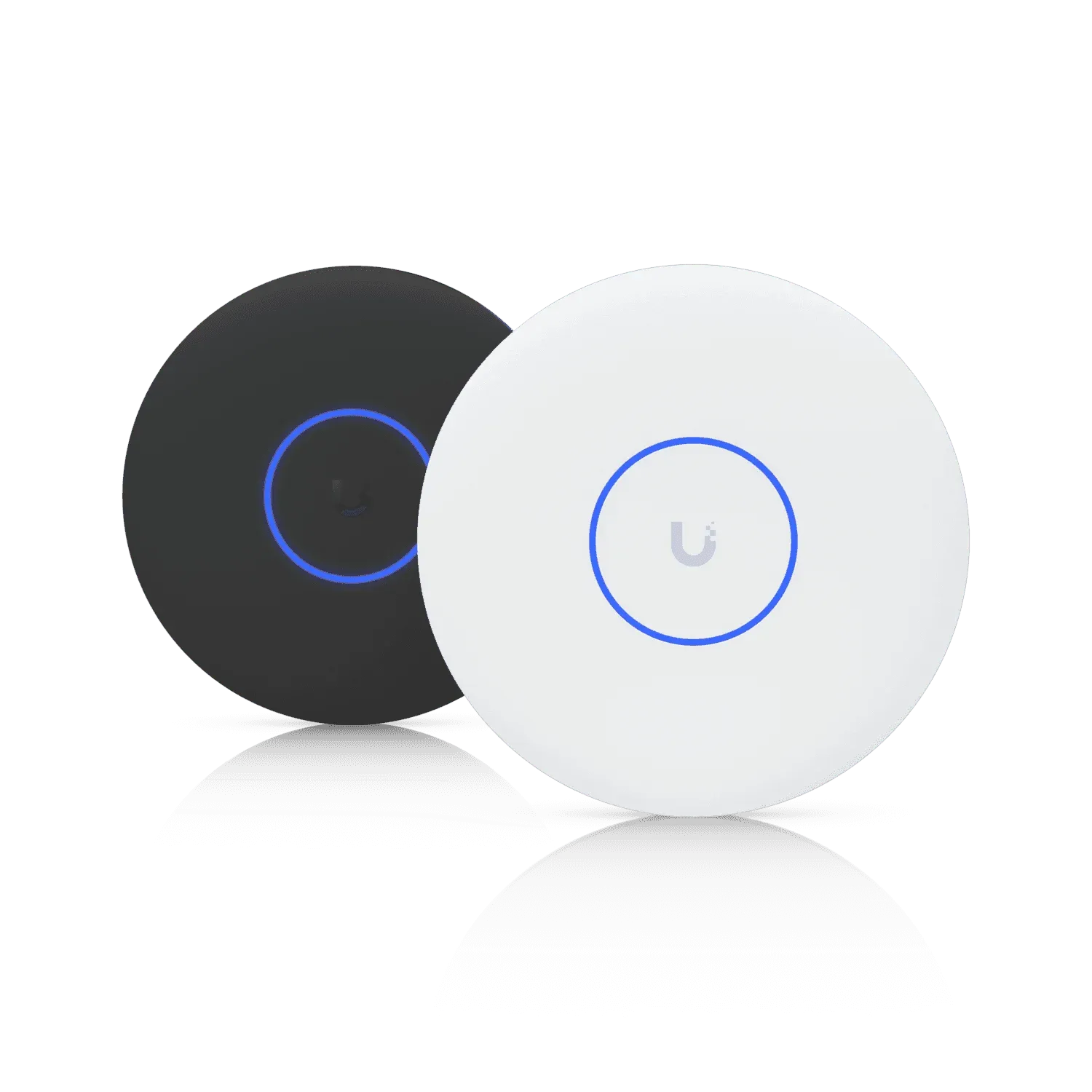
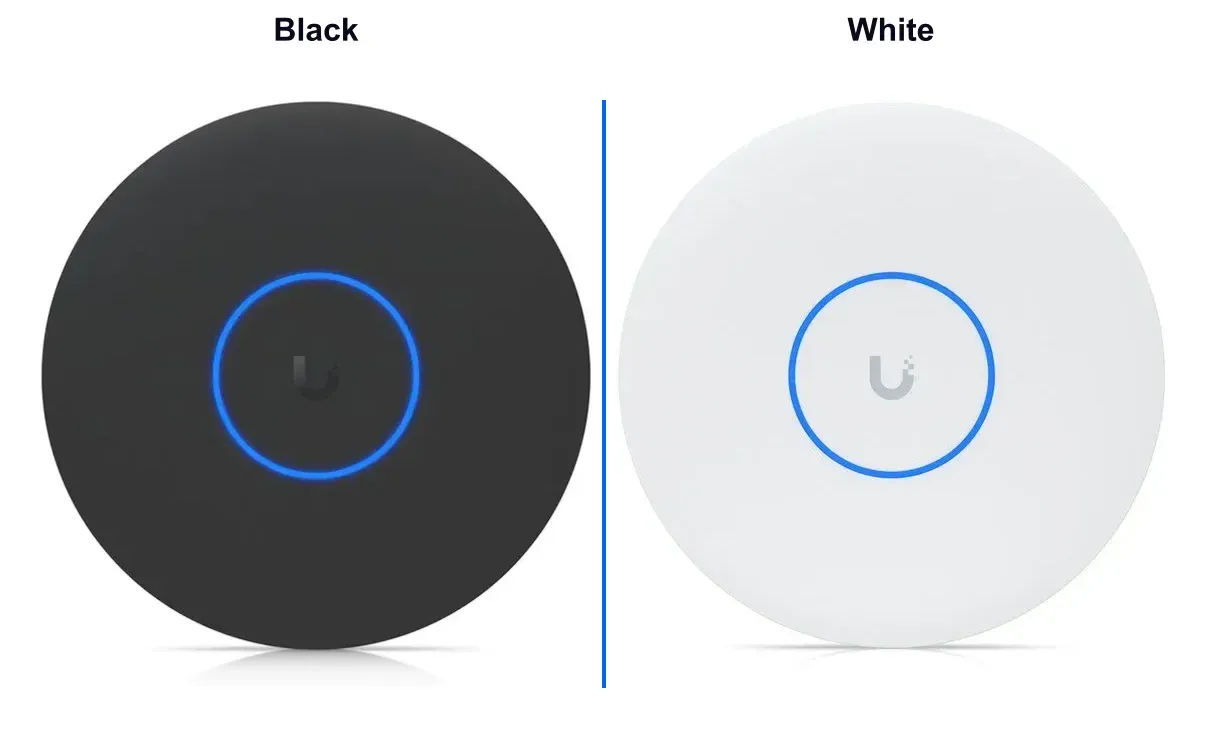
The U7 Pro XG is now available in two colors to match different installation environments and aesthetic preferences. Whether you need the access point to blend seamlessly into a dark ceiling or complement light-colored surfaces, both the sleek black and clean white finishes deliver the same enterprise-grade performance and features. This dual-color availability ensures that your network infrastructure can maintain a professional, cohesive look in any setting without compromising on WiFi 7 capabilities.

U7 Pro XG Color Comparison - Black vs White U7 Pro XG Color Comparison - Black vs White

The U7 Pro XG is available in both Black and White finishes

Key Specifications

Specification Value
WiFi Standard 802.11be (WiFi 7)
Ethernet Port 10 Gbps RJ45
PoE Support 802.3bt (PoE++, 60W+)
Form Factor Ceiling/wall mountable
Aggregate Throughput Up to 12.5 Gbps
Spatial Streams 8 (4x4 MIMO on 5GHz + 4x4 MIMO on 6GHz)
Client Capacity 500+ simultaneous clients
Range Optimized for high-density environments
MU-MIMO 8x8
Advanced Features MLO, 4K-QAM, Preamble Puncturing

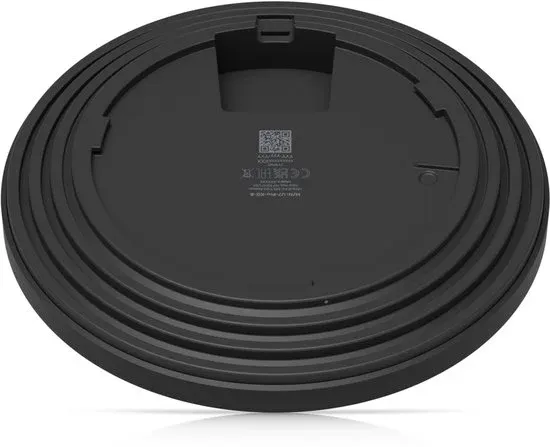
U7 Pro XG rear panel with 10G RJ45 Ethernet port and PoE++ input connection U7 Pro XG rear panel with 10G RJ45 Ethernet port and PoE++ input connection
Rear view showing the 10G Ethernet port and PoE++ connection

Use Cases

Enterprise Offices

The U7 Pro XG is suitable for open-plan offices, conference centers, and collaborative workspaces where hundreds of devices connect simultaneously. The 10G backhaul prevents the wireless network from becoming a bottleneck during heavy file transfers and video conferencing.

Event Venues

Stadiums, convention centers, and concert halls benefit from the U7 Pro XG's high client capacity and 10G uplink. It can handle thousands of attendees streaming video and sharing content without significant network degradation.

Educational Institutions

University campuses and large schools with lecture halls, libraries, and dormitories require robust connectivity. The U7 Pro XG supports bandwidth-intensive educational applications like virtual reality labs and 4K video streaming.

Healthcare Facilities

Hospitals and medical centers need reliable, high-speed connectivity for telemedicine, medical imaging, and real-time patient monitoring systems. WiFi 7's low latency and 10G backhaul support these requirements.

Installation Requirements

Power

The U7 Pro XG requires PoE++ (802.3bt, 60W) power. Compatible switches include:

  • UniFi Enterprise 8 PoE (supports 802.3bt on all ports)
  • UniFi Enterprise 24 PoE
  • UniFi Enterprise 48 PoE
  • UniFi Pro 24 PoE
  • UniFi Pro 48 PoE

Network Infrastructure

To fully utilize the 10G capabilities, your network infrastructure should include:

  • 10G-capable switches
  • 10G network backbone
  • CAT6A or CAT7 cabling (for 10G over copper)
  • Properly configured UniFi Network Application

Mounting Options

The U7 Pro XG supports multiple mounting configurations:

  • Ceiling mount: Standard drop ceiling T-rail mounting
  • Wall mount: Vertically oriented for optimal coverage
  • Junction box: Hardwired electrical box mounting

WiFi 7 Advantages

Unlike previous WiFi generations that forced clients to choose one band, WiFi 7 allows simultaneous transmission across 2.4GHz, 5GHz, and 6GHz bands. This provides:

  • Increased throughput through link aggregation
  • Reduced latency by using the best available path
  • Improved reliability with automatic failover

6GHz Band (WiFi 6E Extended)

The U7 Pro XG leverages the 6GHz spectrum with:

  • Up to 320MHz channel widths (double the 160MHz of WiFi 6E)
  • Clean spectrum with minimal interference
  • Support for 7 additional 160MHz channels
  • Better performance for latency-sensitive applications

4K-QAM Modulation

WiFi 7 increases modulation from 1024-QAM to 4096-QAM, providing:

  • 20% higher peak data rates
  • More efficient spectrum utilization
  • Better performance at close range

Comparison: U7 Pro XG vs. Other U7 Models

Feature U7 Pro U7 Pro XG U7 Pro Max U7 Pro XGS
Ethernet 2.5GbE 10GbE 2.5GbE 10GbE SFP+
PoE 802.3at 802.3bt 802.3at 802.3bt
Streams 6 8 12 12
Max Throughput 5.8 Gbps 12.5 Gbps 12.5 Gbps 18.9 Gbps
Client Capacity 300+ 500+ 500+ 1000+
Best For SMB, Home High-Density Max Performance Enterprise

Configuration Best Practices

Channel Planning

  1. Enable Auto Channel selection for optimal performance
  2. Set 6GHz channels to 320MHz width in low-density areas
  3. Use 160MHz or 80MHz in high-density deployments
  4. Enable DFS channels where permitted for additional spectrum

SSID Configuration

  • Create separate SSIDs for different security levels
  • Enable WPA3-Enterprise for corporate networks
  • Use OWE (Opportunistic Wireless Encryption) for guest networks
  • Configure band steering to distribute clients efficiently

Advanced Settings

  • Enable Fast Roaming (802.11k/v/r) for seamless handoffs
  • Configure Minimum RSSI to push weak clients to better APs
  • Enable Auto-Optimize Network for dynamic adjustments
  • Set up Traffic Rules for QoS prioritization

Troubleshooting Tips

Power Issues

If the U7 Pro XG doesn't power on:

  • Verify switch port provides 802.3bt (60W+)
  • Check cable length (max 100m for PoE++)
  • Ensure CAT6A/CAT7 cabling for 10G support
  • Try a different switch port

Adoption Problems

  • Factory reset the AP (hold reset button for 5+ seconds)
  • Verify Layer 2 connectivity between AP and controller
  • Check firewall rules for adoption ports
  • Use Advanced Adopt with SSH credentials if needed

Performance Optimization

  • Update to latest UniFi Network Application
  • Enable Auto-Optimize Network feature
  • Review RF environment with WiFi Man or AirView
  • Adjust Minimum RSSI settings per deployment
  • Monitor Client Insights for bandwidth hogs

Pricing

The UniFi U7 Pro XG is positioned as a premium enterprise access point:

  • MSRP: $379 USD
  • Availability: In stock at UniFi Store and authorized resellers
  • Warranty: 1-year limited hardware warranty
  • Support: Enterprise support plans available

Final Thoughts

The UniFi U7 Pro XG is a high-performance WiFi 7 access point with 10G Ethernet backhaul and 8 spatial streams. It requires PoE++ power and 10G infrastructure to reach its full potential, making it suitable for high-density environments where network performance directly impacts operations.

The U7 Pro XG is appropriate for corporate headquarters, university campuses, and event venues that need bandwidth, capacity, and reliability for modern wireless demands. As WiFi 7 client devices become more common, this access point provides capacity for future growth.

For installations where 10G infrastructure is not yet available, consider the U7 Pro (2.5GbE) or U7 Pro Max for performance within existing network constraints. The U7 Pro Max offers 12 spatial streams and 2.5GbE connectivity, delivering exceptional performance without requiring a full 10G backbone upgrade.

The U7 Pro XG performs best when paired with UniFi Enterprise switches and a 10G backbone.